
Download Pownce Desktop Software – Free, Secure & Easy Micro‑blogging Client for Windows & Mac
Overview
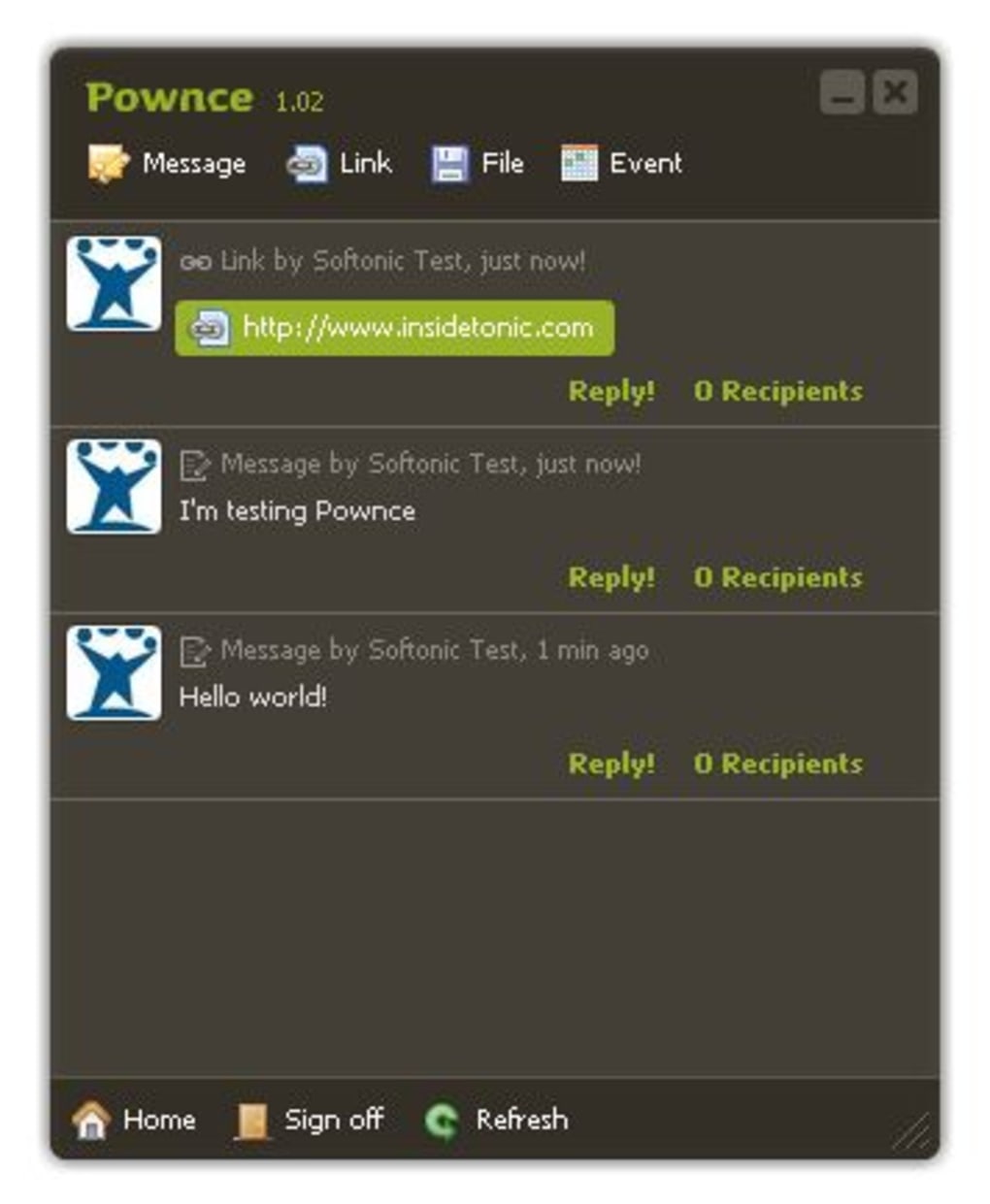
Pownce Desktop Software is the official desktop client built by the Pownce development team for users who want a faster, more comfortable way to interact with the Pownce micro‑blogging platform. Inspired by the simplicity of Twitter‑style feeds, this Adobe Air‑based application gives you a single‑pane view of your timeline, lets you post short messages, URLs, events, and even private notes without opening a web browser. Because it runs locally on your computer, you benefit from reduced latency, offline caching of recent posts, and a sleek interface that feels native to Windows, macOS, and Linux environments that support the Adobe Air runtime.
While the client focuses on core posting and reading functions, it deliberately avoids feature bloat, making it ideal for users who prefer a straightforward, distraction‑free experience. The design emphasizes real‑time updates, so new messages from friends appear instantly, and you can reply directly from the desktop window. Although the app currently supports only one Pownce account at a time and lacks advanced filtering or multi‑account management, it remains a valuable tool for power users who want to stay connected without juggling multiple browser tabs.
In short, Pownce Desktop Software offers a secure, lightweight gateway to your Pownce profile, combining the convenience of a native app with the flexibility of a web‑based service.
Key Features & Functionality
- Instant Posting: Compose and publish short messages, URLs, and events with a single click.
- Real‑time Timeline: New posts from friends appear instantly, keeping you up‑to‑date without manual refresh.
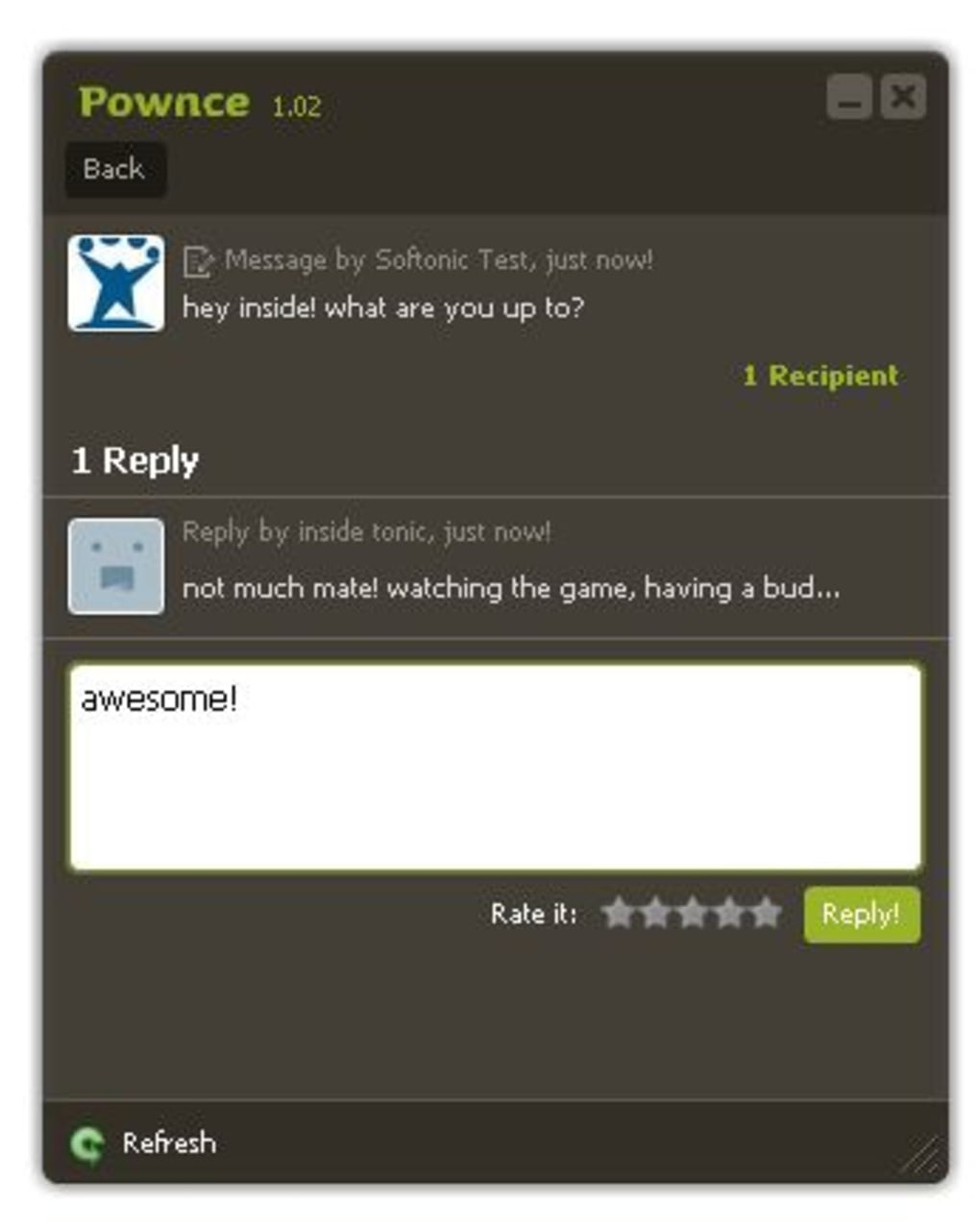
- Private Notes: Send and read private messages directly from the desktop client.
- Slick Adobe Air Interface: Smooth animations and responsive design that feels native on Windows and macOS.
- Offline Caching: Recent timeline items are cached locally, allowing quick browsing even with spotty internet.
- Single‑Account Support: Focuses on one Pownce account for a clean, uncluttered experience.
- Cross‑Platform Compatibility: Works on any operating system that can run Adobe Air (Windows, macOS, Linux).
- Secure Connection: All communication with Pownce servers is encrypted via HTTPS.
The feature set is intentionally minimalistic, targeting users who want to post and read without the distraction of complex settings. While you won’t find advanced filtering, multi‑account handling, or extensive customization options, the core tools are reliable and fast. The client also automatically checks for updates through the Adobe Air framework, ensuring you always have the latest security patches and performance improvements without manual intervention.
Installation, Usage & Compatibility
Step‑by‑Step Installation
Because Pownce Desktop Software is built on Adobe Air, the first step is to download and install the Adobe Air runtime. Visit the official Adobe website, select the version that matches your operating system, and follow the installer prompts. Once Air is installed, download the Pownce client installer (a .exe for Windows or a .dmg for macOS). Run the installer, accept the license agreement, and let the wizard copy the necessary files to your system. The installation process typically takes less than five minutes on a modern computer.
Launching & First Use
After installation, launch the application from your desktop shortcut or start menu. The first screen prompts you to sign in with your Pownce credentials. Enter your username and password, then click “Log In.” The client authenticates securely over HTTPS and loads your personal timeline. From here, you can type a new message into the text box at the top, attach a URL or event, and click “Publish.” Your post appears immediately in the shared timeline, and any replies or private notes are displayed in real time.
System Requirements & Operating System Support
Pownce Desktop Software runs on any platform that supports Adobe Air 2.0 or later, including Windows 7/8/10/11, macOS 10.10 (Yosemite) and later, and most major Linux distributions with the appropriate Air runtime package. Minimum hardware requirements are modest: a 1 GHz processor, 512 MB RAM, and 100 MB of free disk space for the application and cached data. Because the client is lightweight, it works well on older machines and does not consume significant system resources while idle.
For users who prefer not to install Adobe Air, a portable version of the client is also available as a ZIP archive. Extract the files, run the executable, and the runtime will be loaded automatically from within the package, eliminating the need for a separate Air installation.
Pros & Cons
Advantages
- Fast, real‑time posting and timeline updates.
- Lightweight Adobe Air foundation keeps the app responsive.
- Secure HTTPS communication ensures privacy.
- Cross‑platform support for Windows, macOS, and Linux.
- Offline caching provides quick access to recent posts.
- Simple, uncluttered interface ideal for focused users.
Drawbacks
- Limited to a single Pownce account; no multi‑account management.
- Lacks advanced filtering, search, or customization options.
- Requires Adobe Air runtime, adding an extra installation step.
- No native notifications on some operating systems.
- Interface may feel dated compared to modern Electron‑based apps.
Frequently Asked Questions
Do I need an Adobe Air license to use Pownce Desktop?
No, Adobe Air is free for personal use. You only need to download the runtime from Adobe’s website, and it will work with the Pownce client without any additional licensing fees.
Can I run the client on a Linux distribution?
Yes. As long as you install the appropriate Adobe Air package for your distribution (e.g., .deb for Ubuntu or .rpm for Fedora), the Pownce client will run smoothly.
Is there a way to receive desktop notifications for new messages?
The current version does not include native OS notifications, but you can enable in‑app pop‑ups that appear within the client window when new posts arrive.
How secure is my login information?
All login credentials are transmitted over an encrypted HTTPS connection. The client does not store passwords in plain text; they are saved in the secure storage provided by the Adobe Air runtime.
Will the app automatically update when a new version is released?
Yes. When Adobe Air detects a newer version of the Pownce client on the server, it prompts you to download and install the update, ensuring you always have the latest features and security patches.
Expert Review Summary
Rating: 4/5
TechReviewer Pro
Pownce Desktop Software delivers a fast, secure way to stay connected to your micro‑blogging feed without the distractions of a full browser. Its simplicity is both its strength and its limitation. For users who need only core posting and reading capabilities, it’s an excellent free tool. Power users may miss multi‑account support and deeper filtering, but the lightweight design and cross‑platform reach make it a solid choice for everyday posting.
Conclusion & Call to Action
Overall, Pownce Desktop Software stands out as a reliable, free client that bridges the gap between web‑based micro‑blogging and native desktop productivity. By leveraging Adobe Air, the developers have ensured a smooth, responsive experience across Windows, macOS, and Linux, while maintaining a high level of security through HTTPS encryption. Although the lack of multi‑account support and advanced filtering may deter some power users, the application excels at what it sets out to do: provide a fast, secure, and uncomplicated way to publish messages, view friends’ updates, and manage private notes—all from a single, easy‑to‑use window.
If you value speed, simplicity, and cross‑platform availability, downloading Pownce Desktop Software is a logical next step. The installation process is straightforward, and once set up, you’ll enjoy real‑time updates without the need to keep a browser tab open. Give it a try today, and experience a more efficient way to stay connected with your Pownce community.
Ready to get started? Click here to download the free Pownce Desktop client and join the conversation instantly.







